> For the complete documentation index, see [llms.txt](https://docs.bscs.finance/llms.txt). Markdown versions of documentation pages are available by appending `.md` to page URLs; this page is available as [Markdown](https://docs.bscs.finance/defi-2/dex-tools/check-balance.md).
# Check Balance
### **What Is Check Balance?**
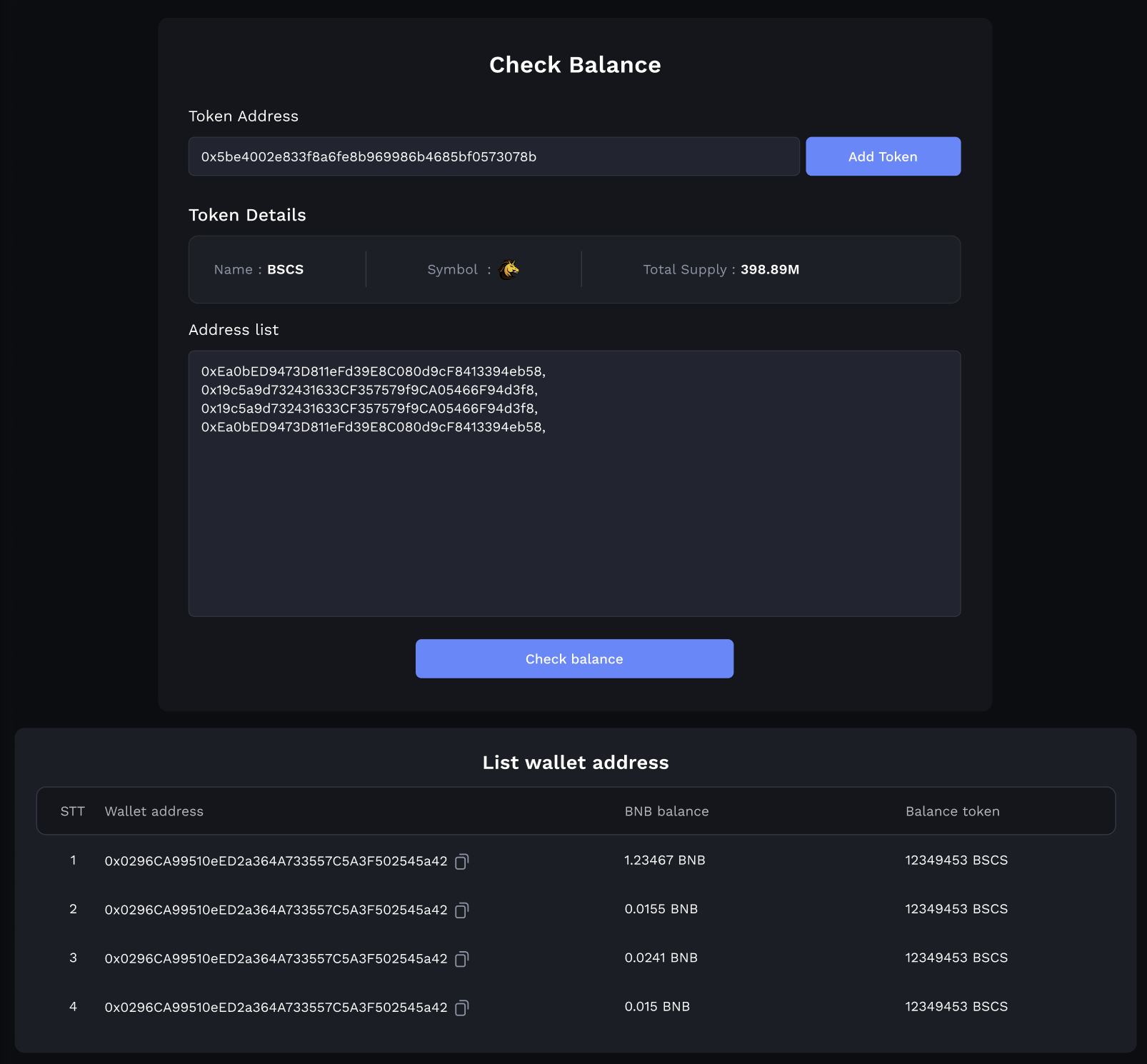
Check Balance is a user-friendly and efficient solution that simplifies the process of monitoring token balances across multiple wallet addresses. It offers a comprehensive view of your holdings, making it an indispensable tool for cryptocurrency enthusiasts, investors, and traders.
### **Key Features of Check Balance:**
#### **1. Multi-Wallet Support:**
* **Effortless Tracking:** Easily add and manage multiple wallet addresses within the platform.
* **Customization:** Tailor your list of wallets to include the addresses you want to monitor.
#### **2. Token-Specific Balance Checks:**
* **Specify Tokens:** Choose the tokens you want to track, providing a detailed breakdown of their balances.
* **Real-Time Updates:** Enjoy real-time updates on the token balances in your selected wallets.
#### **3. User-Friendly Interface:**
* **Intuitive Design:** Check Balance features a user-friendly interface suitable for both beginners and experienced users.
* **At-a-Glance Information:** Get a clear overview of your token holdings in one convenient location.
#### **4. Privacy and Security:**
* **Secure Access:** Rest assured that your wallet addresses and data are kept private and secure.
* **Encryption:** Your sensitive information is protected through encryption protocols.
### **Why Choose Check Balance?**
* **Efficiency:** Save time and effort by conveniently monitoring your token balances across multiple wallets from a single platform.
* **Transparency:** Gain a clear understanding of your cryptocurrency portfolio, enabling better financial decision-making.
* **Customization:** Tailor your monitoring to focus on the tokens and wallets that matter most to you.
* **Security:** Rest easy knowing your wallet data is kept private and secure.